We’ve all been there—it’s time to file your ITR, you sit down with your documents, head to the Income Tax e-filing portal, and then… total blank. You’ve forgotten your password.
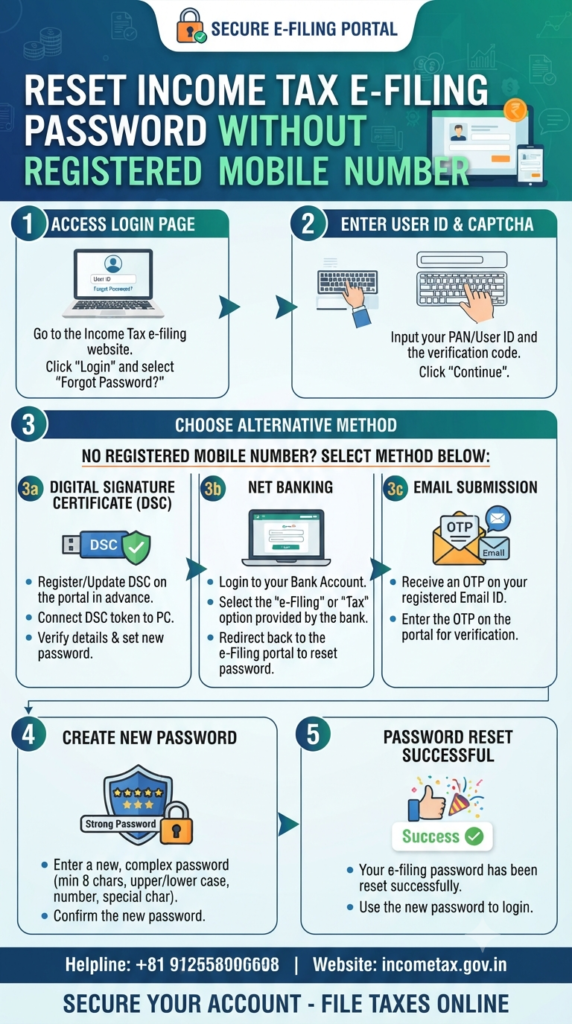
Usually, this is a minor annoyance solved by a quick OTP sent to your registered mobile number. But what if you’ve changed your number, lost your SIM, or simply don’t have access to the one linked to your e-filing profile or Aadhaar? Don’t panic. You aren’t locked out for good.
The Income Tax Department has built in several ways to help you regain access, even when your mobile number isn’t an option. Here is your step-by-step guide to getting back into your account.
The “No-Mobile-Number” Recovery Toolkit
If you are stuck at the login screen, you don’t necessarily need that old mobile number. You can often bypass the standard OTP route by using alternative verification methods.
1. The Digital Signature Certificate (DSC) Route
If you have a valid DSC, you’re in luck. According to Naveen Wadhwa, vice president of Taxmann, you can reset your password using a valid DSC linked to your PAN card.
- Pro Tip: You can use this method even if the DSC isn’t already registered on the portal.
2. The Net Banking Shortcut
Often the easiest route, many taxpayers can log in directly through their net banking portal. Most major banks provide an “e-filing” or “tax” link within their net banking dashboard that redirects you securely to the Income Tax portal, allowing you to bypass the traditional password login entirely.
What if DSC and Net Banking Aren’t Options?
If you don’t have a DSC or your bank doesn’t support the direct e-filing redirect, there is a formal “Plan B.” You can request a password reset directly from the Income Tax authorities.
How to submit your request:
- Draft an Email: Send your request to
efilingwebmanager@incometax.gov.in. - Attach the Essentials: You must include:
- A scanned copy of your PAN card.
- Scanned PDF copies of your identity and address proof (think passport, voter ID, driving license, or a bank passbook with your photo).
- A formal written letter requesting the reset and explaining why you need it.
- The “Golden Rule” for Success:
- Format Matters: Ensure all your documents are attached in a ZIP folder. If you send them as loose files, the system will not process your request.
- Self-Attestation: Don’t forget to self-attest all your documents.
- The Right Sender: The email must come from the email address that is already registered in your e-filing profile.
Final Steps to Success
Once the department validates your documents, they will send a reset password link directly to your registered email address.
A quick reminder: Always keep your e-filing profile updated. If you’ve changed your phone number or email, take a moment once you regain access to update your contact details under the “Profile” section. It will save you a world of stress next tax season!
Disclaimer: This information is based on current guidelines for the FY 2025-26 tax filing period. Always ensure you are visiting the official government portal at incometax.gov.in for your transactions.
Unlock Higher Take-Home Pay: 7 Savvy Tax-Saving Strategies for the New Tax Regime (2026)

The narrative of Indian finance is changing. For generations, the Indian investor’s journey began and ended with safe, traditional avenues like fixed deposits and gold. While secure, these options often struggled to beat inflation, limiting true wealth creation. Today, that script is being rewritten. We are witnessing an unprecedented “financial awakening,” where millions of Indians…
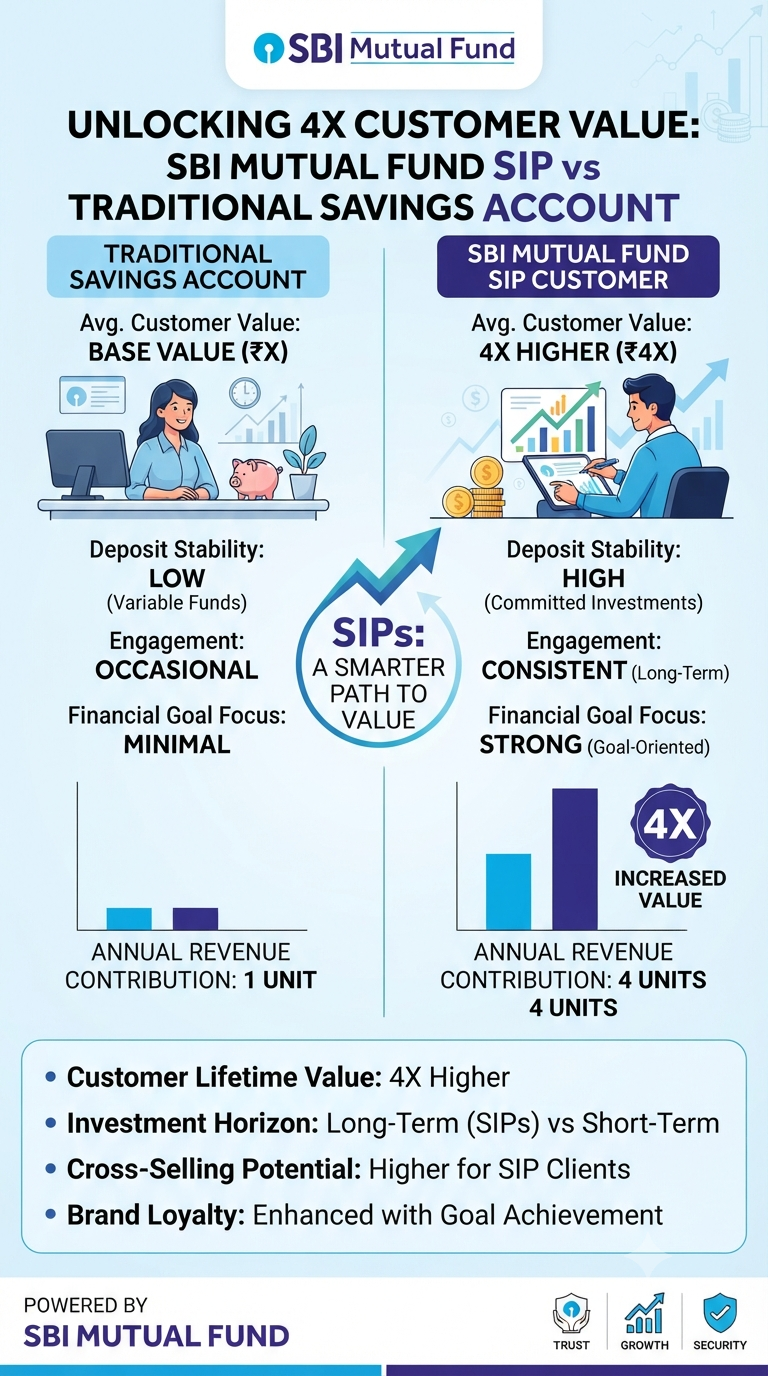
Have you ever wondered what banks and mutual fund houses really think about your accounts? We often view our savings account as the foundation of our financial life—a place to park our salary, pay our bills, and keep our “emergency” cash. But there is a growing realization in the financial world that the traditional savings…
Continue Reading Why Your SIP is More Than Just an Investment—It’s Your New Financial “Superpower”
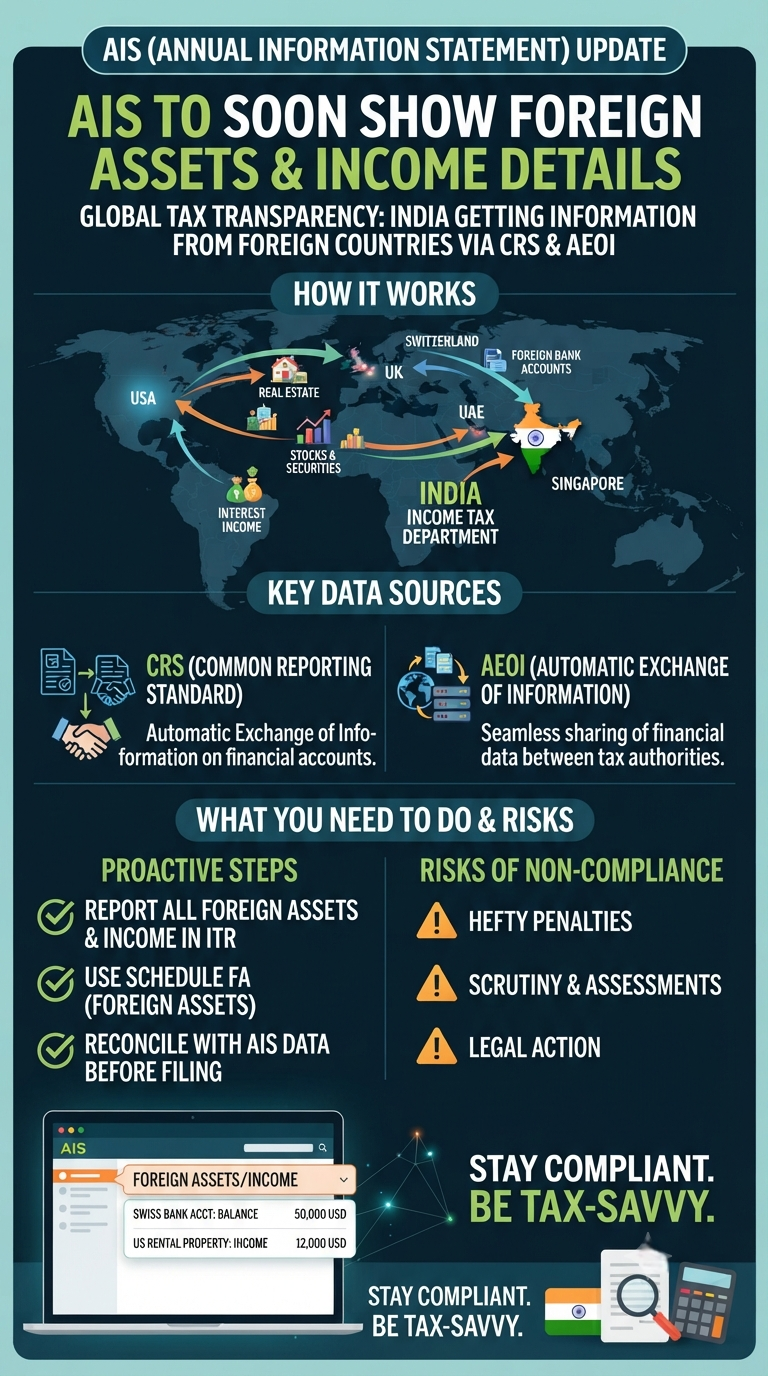
If you have ever held a bank account, real estate, or stocks in another country, you know the anxiety that can come with filing your Income Tax Return (ITR). There has always been a subtle question in the back of many taxpayers’ minds: “Does the tax department already know about this?” As of July 8,…
Continue Reading Hidden No More: What the New AIS Update Means for Your Foreign Assets
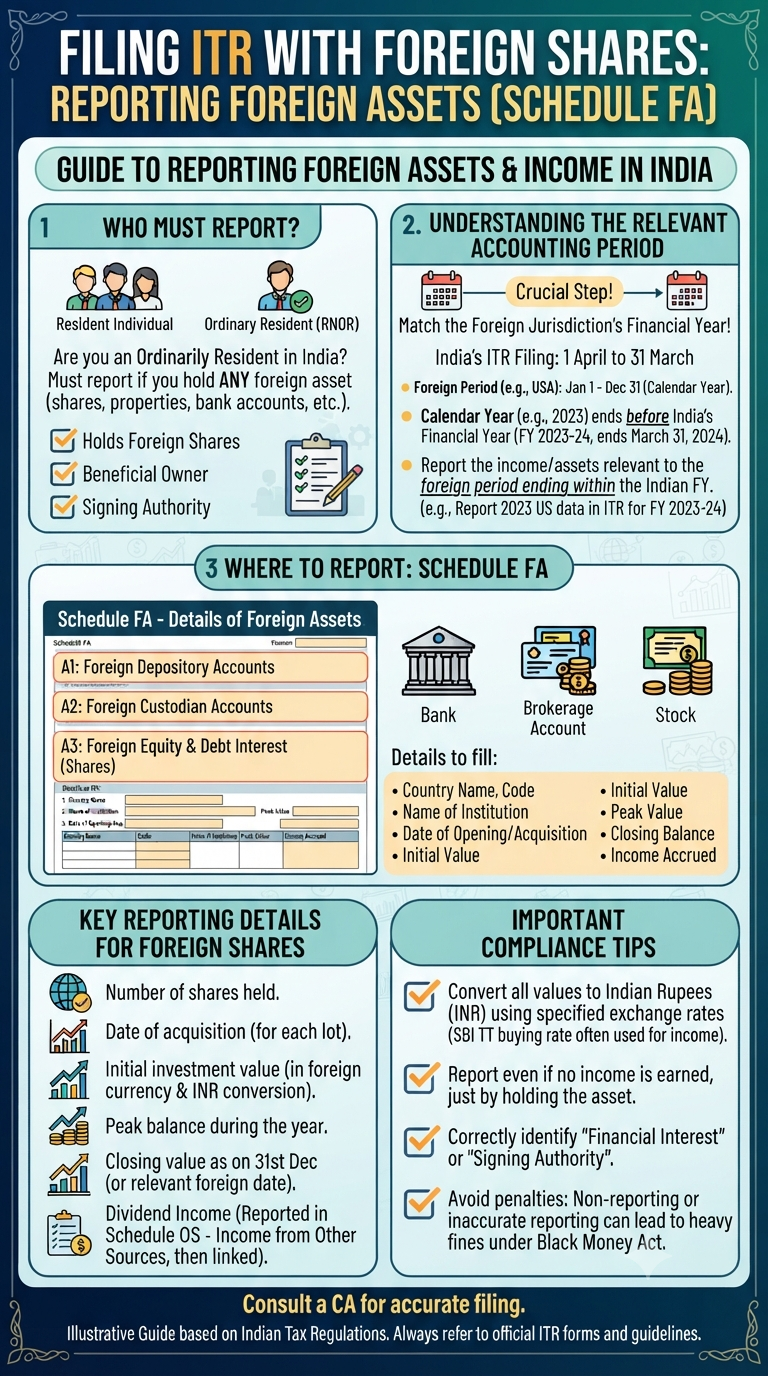
So, you’ve dipped your toes into the global market. Whether it’s those Google shares you picked up, a mutual fund in a different country, or simply maintaining an account abroad, investing internationally can be an exciting journey. But as the tax season rolls around, a common question often pops up: “Do I really need to…
Continue Reading Beyond Borders: A Simple Guide to Reporting Your Foreign Assets in Your ITR
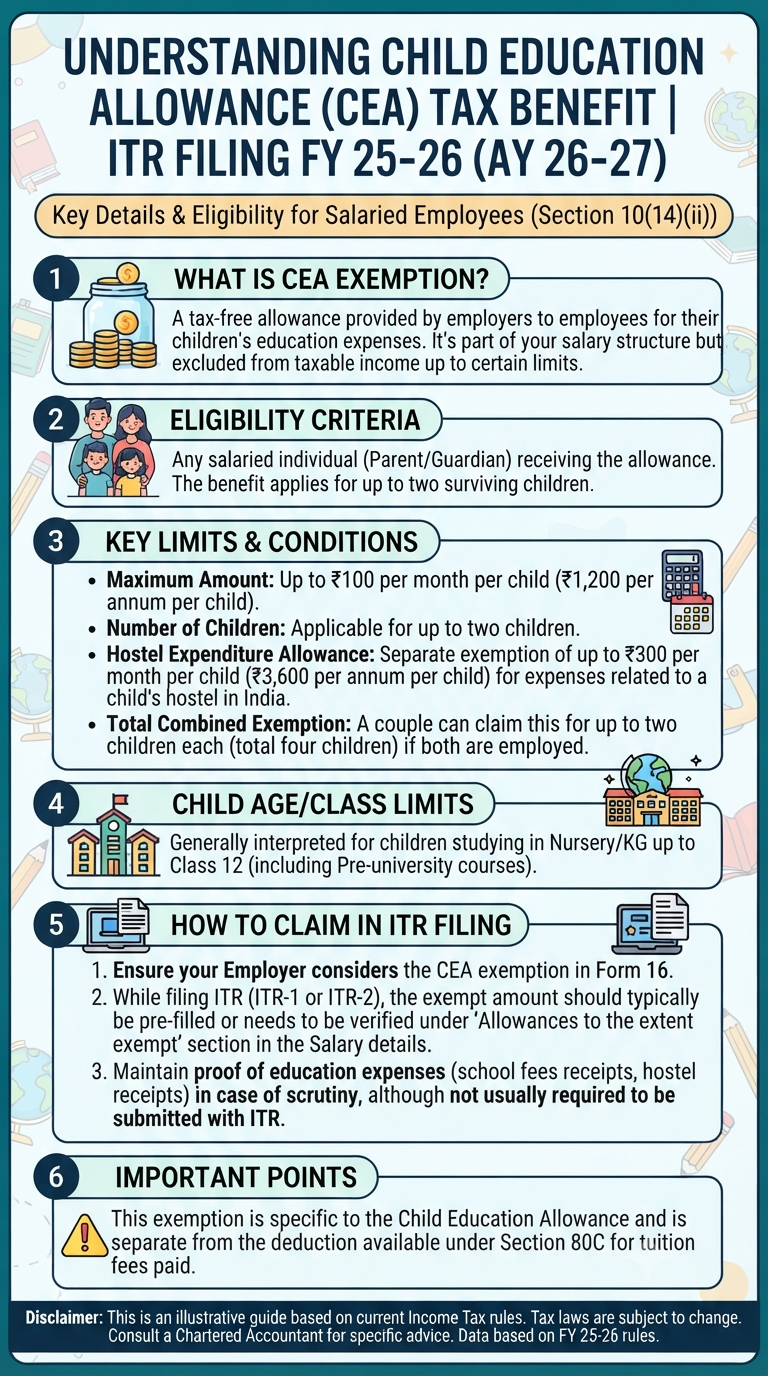
If you’re a salaried parent, you know that the costs of schooling—from uniforms to those ever-increasing activity fees—can add up fast. While we all want the best for our kids, wouldn’t it be nice if the taxman gave us a little breather? Enter the Child Education Allowance (CEA). It’s one of those “hidden” perks in…
Continue Reading Decoding Your Paycheck: A Simple Guide to the Child Education Allowance (CEA)
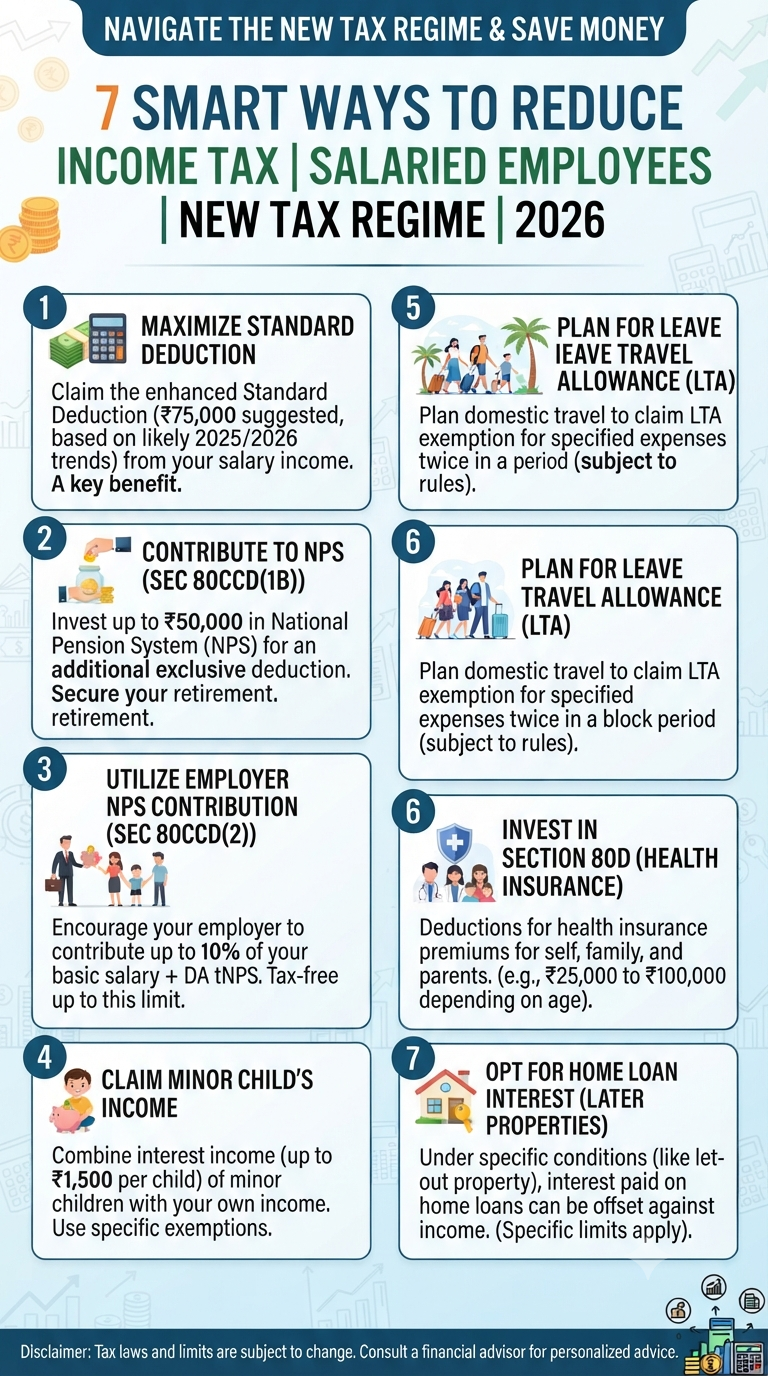
For many salaried professionals, the New Tax Regime feels like a simplified, straightforward path. But is it truly the best way to handle your hard-earned money? A common misconception is that the New Tax Regime leaves no room for tax planning. The reality? You don’t have to settle for a higher tax bill just because…

Shreejith is the founder of InfographicStory.com, a hub for visual learning and data storytelling. Dedicated to simplifying complex ideas, he creates infographics that turn facts into insights. Have questions or collaboration ideas? Reach out to him at storyinfographic@gmail.com.