If you’ve been using Chrome on Android for years, your thumbs have probably developed a subconscious rhythm. You know exactly where to tap to go back, forward, or dive into your settings. But as of this week, Google is shaking up that routine with the rollout of Chrome 150.
While change can be annoying, this particular update is one that actually makes a lot of sense—bringing the Android experience more in line with what Chrome users on iOS have enjoyed for quite some time.
What’s New?
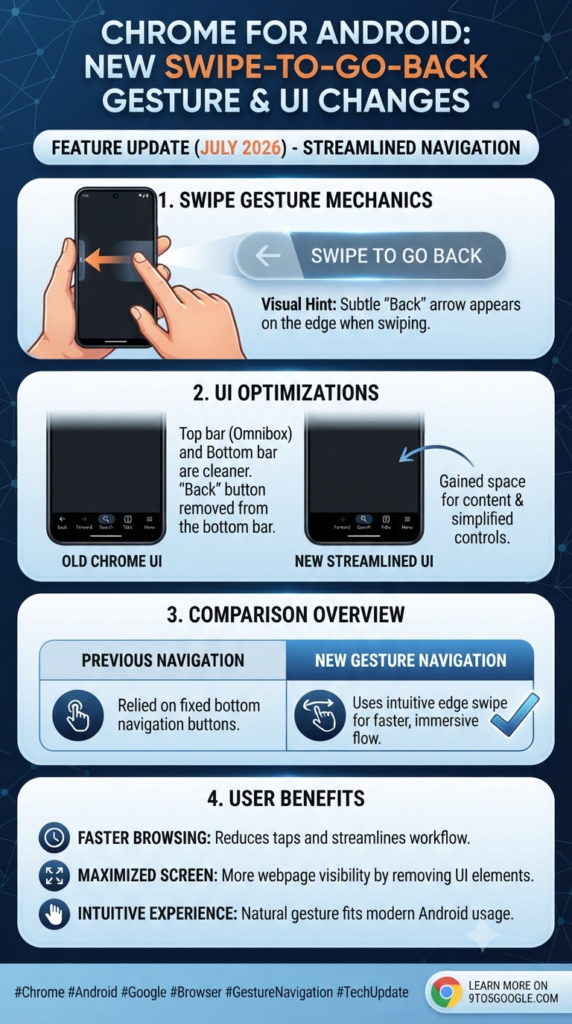
The headline change in Chrome 150 is the addition of a dedicated back button.
Previously, if you weren’t using your phone’s system-wide navigation gestures, you were often stuck relying on the three-dot menu or the system back button to navigate through your browser history. Now, Chrome is placing a back button right in the interface, making it significantly easier to jump back to a previous page without having to reach for your phone’s system navigation or open up a sub-menu.
A Shift in the Interface
With the arrival of this new button, Google has had to shuffle some things around to keep the browser looking clean. Here’s what you might notice after updating:
- The Info Button is Gone: The old info button (usually found near the URL bar) has been removed.
- Site Controls Relocated: You’ll now find “Site controls” tucked away inside the ever-growing overflow menu.
- New Menu Labels: Keep an eye out for “Install and create shortcut,” which has replaced the older “Add to Home screen” option in the menu.
- Minor Reorganization: Because of these changes, the Bookmark star and the Download button have shifted to the right. It’s a minor adjustment, but one that might take a day or two for your muscle memory to fully catch up to.
Why This Matters
For years, Chrome on Android felt slightly different from its desktop and iOS counterparts regarding how navigation was handled. By unifying these controls, Google is making the browser feel more consistent across all your devices.
While it’s true that you might have to retrain your thumb for a few days as you get used to the new layout of the overflow menu, the convenience of having that dedicated back button right where you need it is a welcome upgrade.
Chrome 150 is rolling out via the Play Store as of today. Have you spotted the new button yet? Let us know if this makes your browsing flow any faster!
Taming the Fire: A Practical Guide to Managing Uric Acid Through Your Diet

A sore throat is more than just an annoyance; it’s that scratchy, raw sensation that makes every swallow feel like a challenge. Whether it’s caused by the changing weather, a seasonal cold, or dry air, the immediate need is always the same: relief. While you might be tempted to run to the pharmacy, your kitchen…
Continue Reading Soothe Your Sore Throat: Simple, Natural Remedies That Work
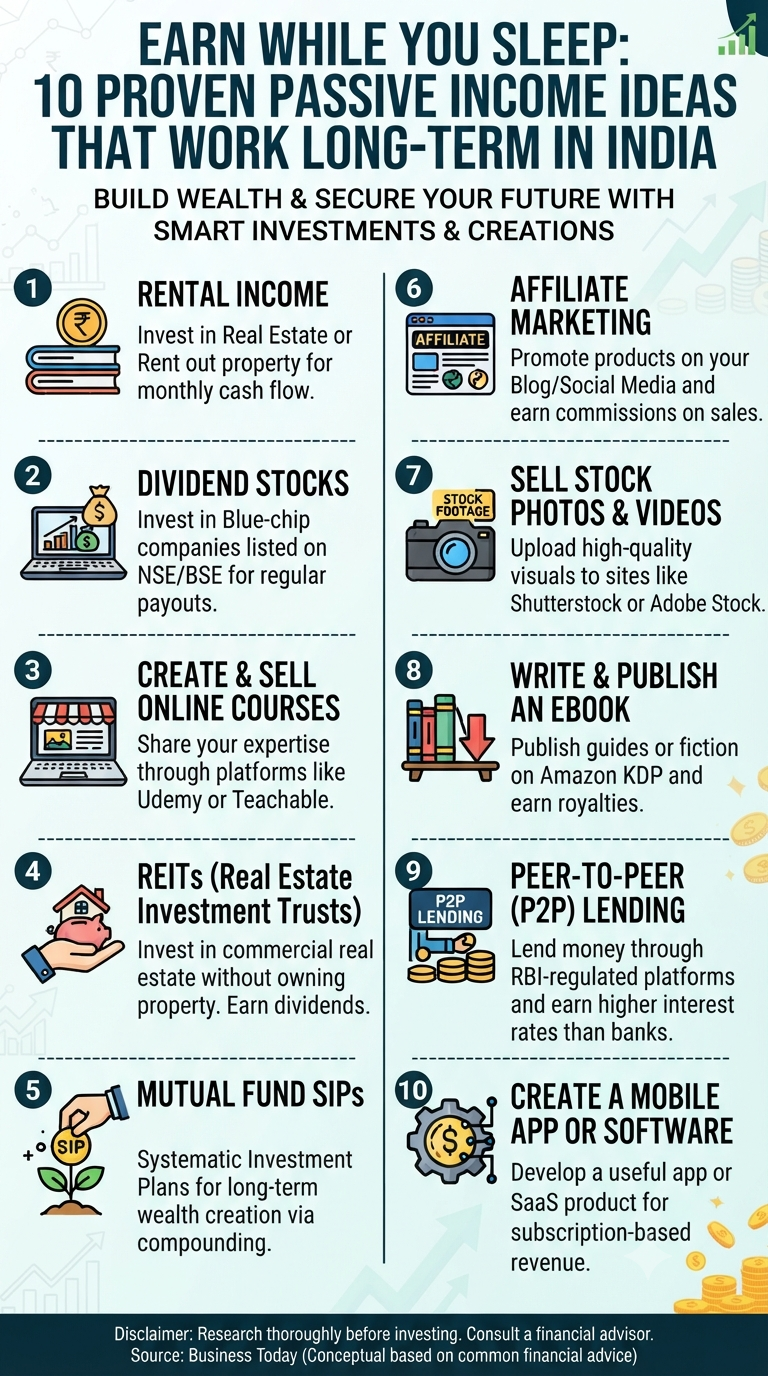
We’ve all heard the dream: making money while you sleep. It sounds like a marketing gimmick, but the truth is, it’s a legitimate financial strategy. The secret isn’t finding a “get rich quick” button; it’s about investing your time, capital, or skills upfront to build assets that pay you back long-term. In the Indian context,…
Continue Reading Escape the Grind: 10 Realistic Ways to Build Passive Income in India

We’ve all been there—the lights are off, the room is quiet, but your brain has decided it’s the perfect time to review every conversation you had three years ago or plan your entire to-do list for the next decade. Restless nights caused by “overthinking” are not just exhausting; they impact your mood, focus, and long-term…
Continue Reading Beyond the Midnight Overthink: 8 Simple Ways to Quiet Your Mind Before Bed
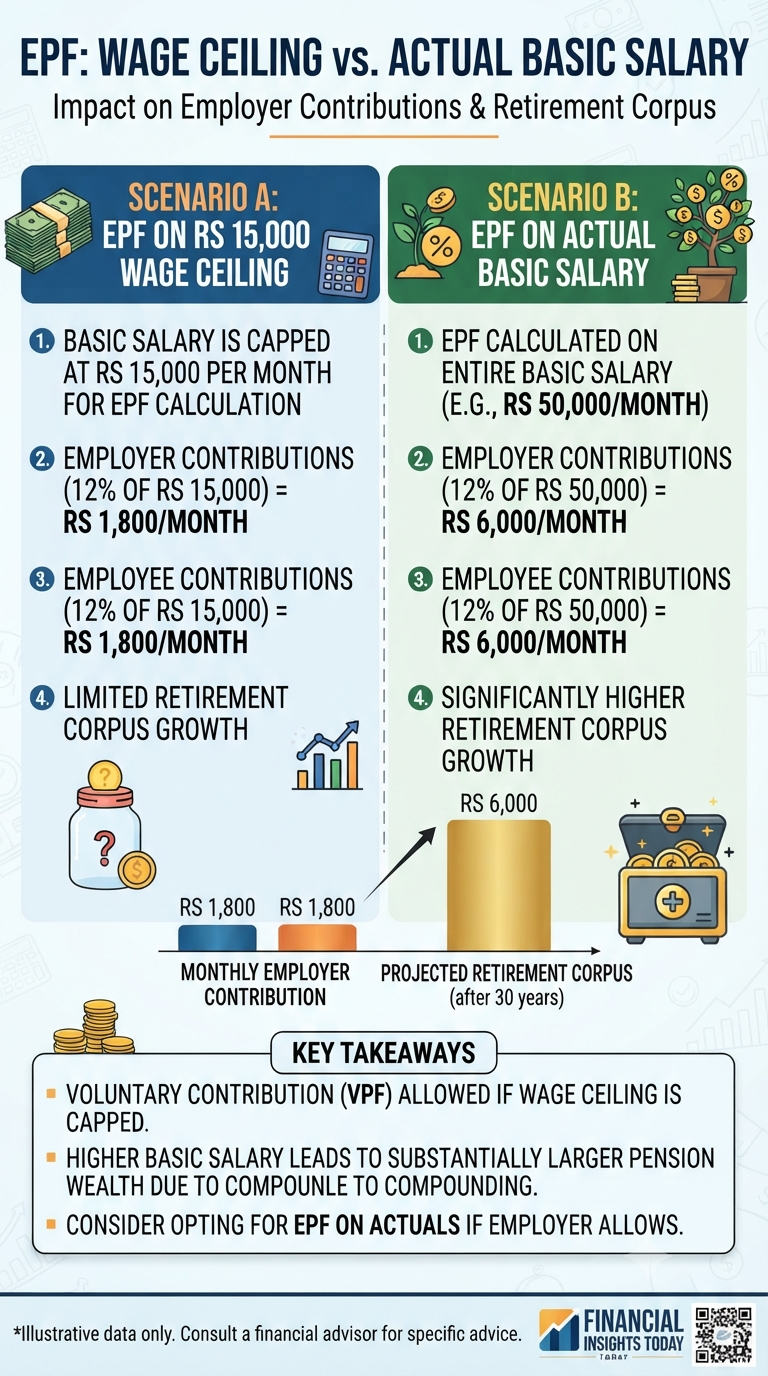
Have you ever looked at your salary slip, spotted the EPF deduction, and wondered how much your employer is actually contributing? For many of us, the Provident Fund is something we “set and forget.” However, there is a crucial distinction in how these contributions are calculated—one that could change the size of your retirement nest…
Continue Reading EPF Contributions: The Hidden Choice Impacting Your Future Wealth
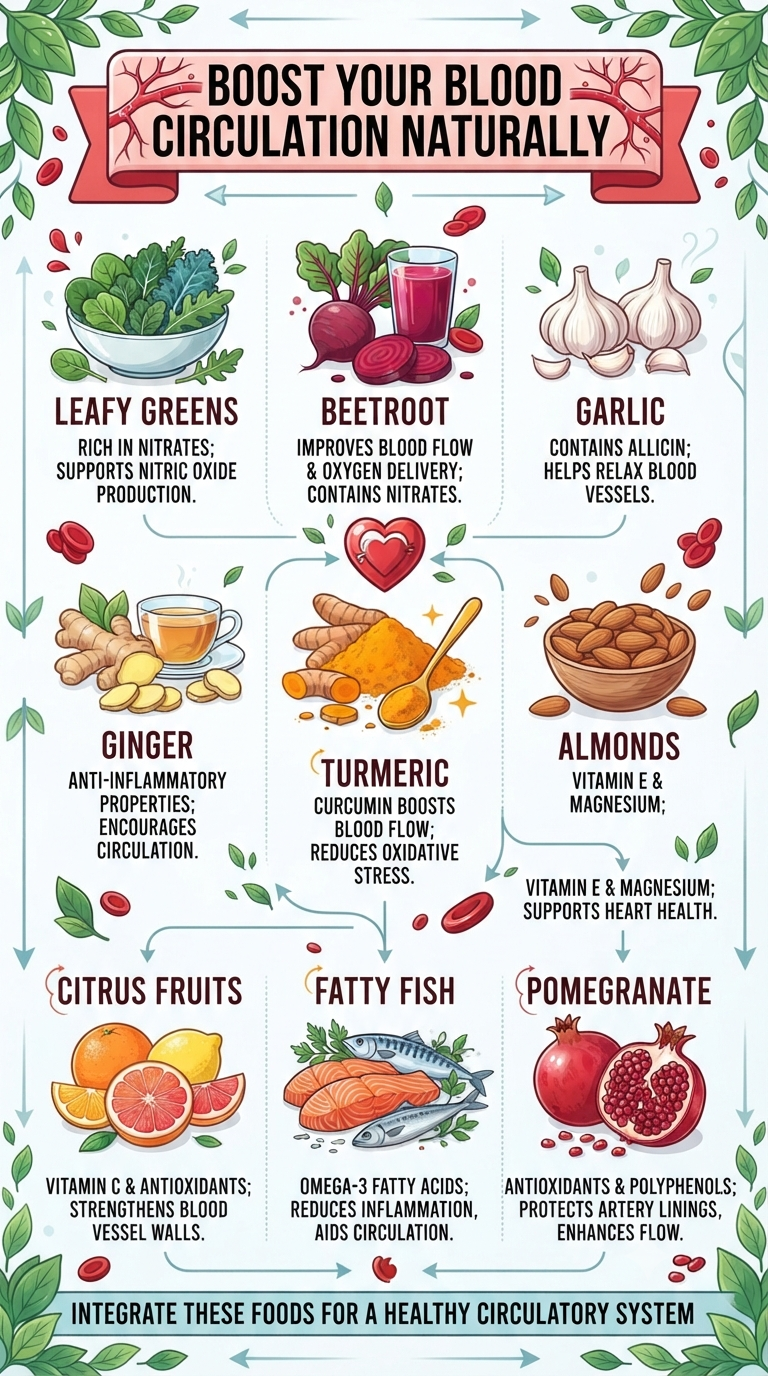
We often take our circulation for granted, yet it’s the vital system responsible for delivering oxygen and nutrients to every corner of our bodies. When blood flow is sluggish, we feel it—cold hands and feet, muscle fatigue, and brain fog are common signals. While exercise and hydration are key, what you put on your plate…
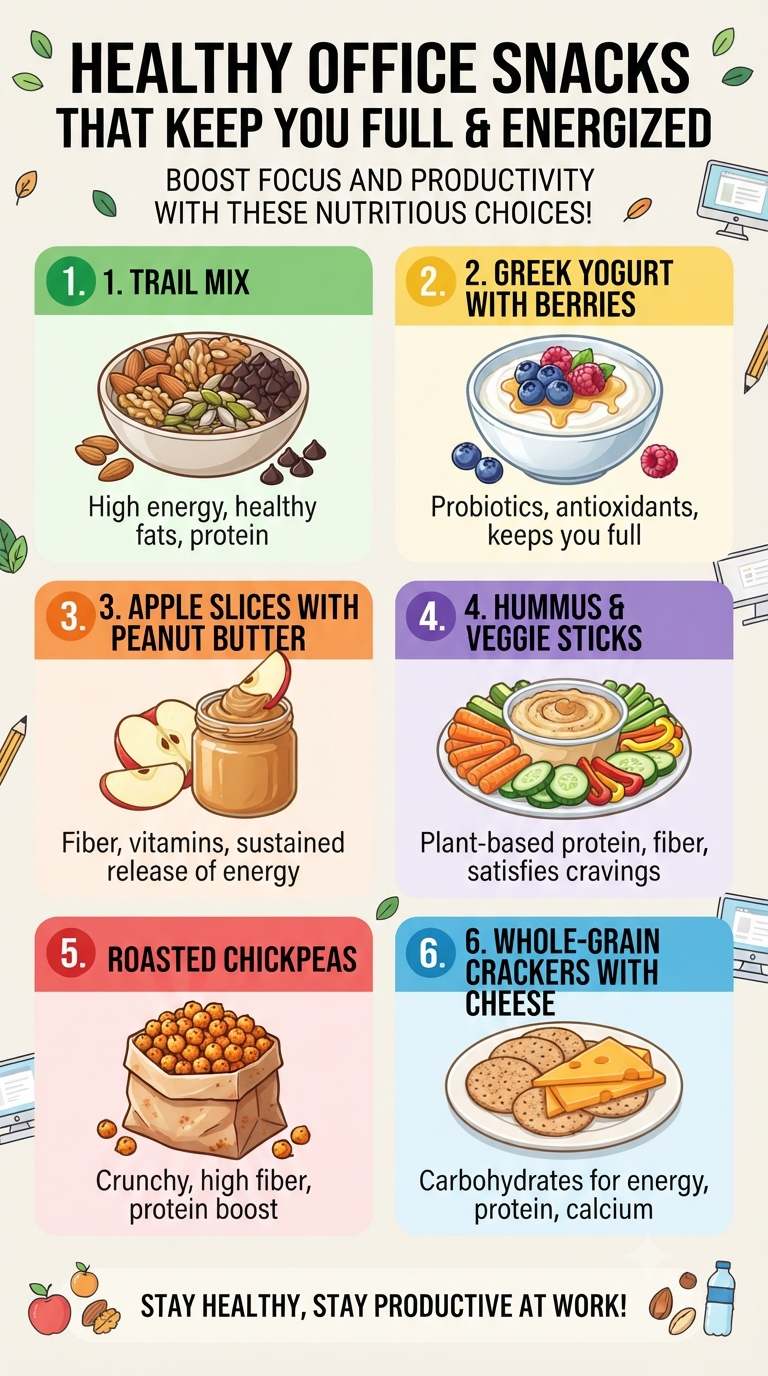
We’ve all been there—it’s 3:00 PM, the mid-afternoon slump hits, and suddenly that vending machine down the hall looks like a gourmet destination. But before you reach for those sugar-laden, processed snacks that lead to a quick crash, consider a better way to fuel your productivity. What you eat at your desk directly impacts how…
Continue Reading Fuel Your Hustle: 6 Smart Snacks to Keep You Energized at Your Desk

Shreejith is the founder of InfographicStory.com, a hub for visual learning and data storytelling. Dedicated to simplifying complex ideas, he creates infographics that turn facts into insights. Have questions or collaboration ideas? Reach out to him at storyinfographic@gmail.com.